Overview & Problem Statement
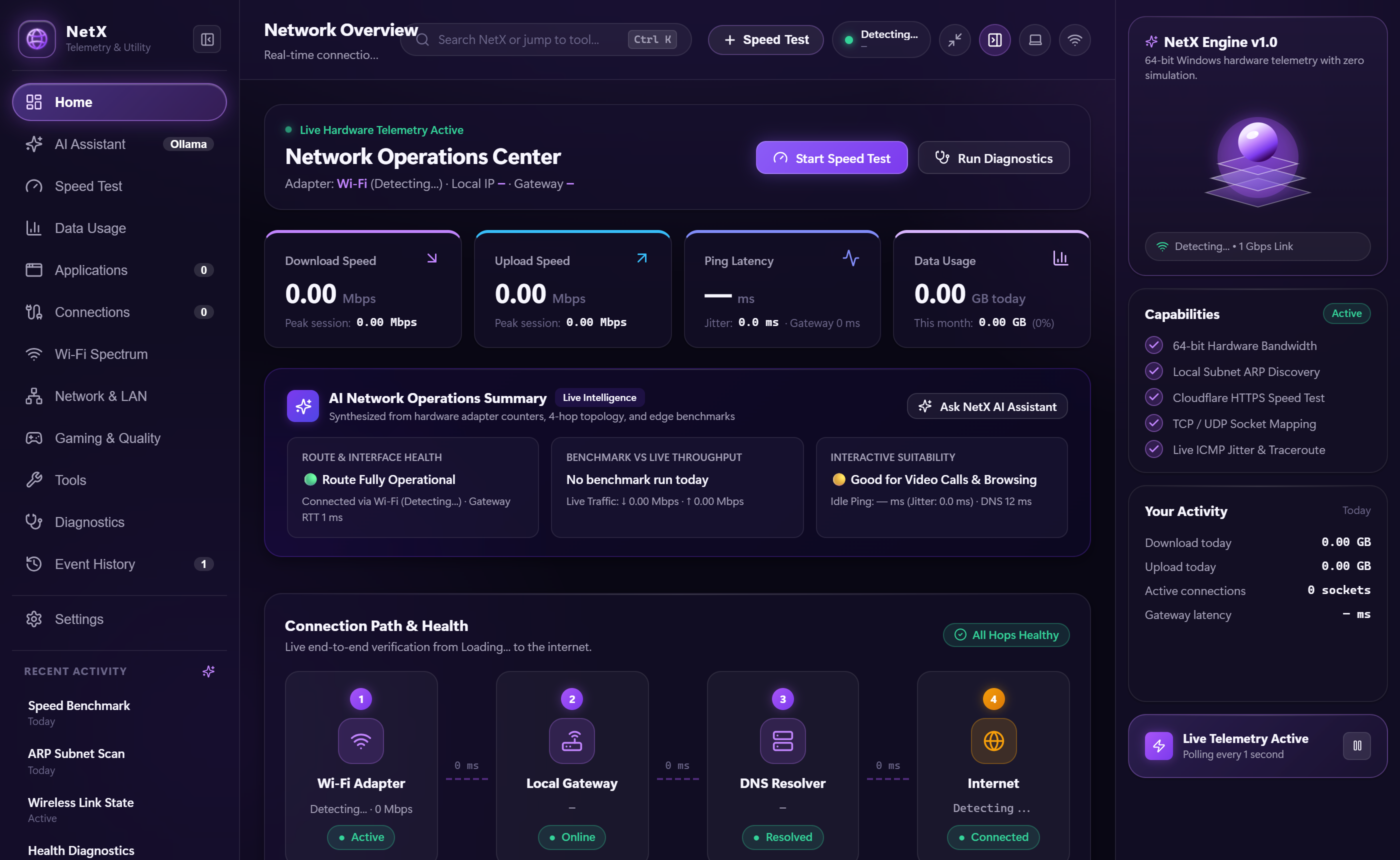
Network diagnostic utilities for Windows are typically bifurcated into two extremes: overly complex enterprise packet analyzers (like Wireshark) that overwhelm users with low-level protocol dissects, or superficial consumer widgets that display simulated animations or inaccurate ping meters. Developers and network administrators need an unbloated desktop utility that answers essential questions quickly: Which executable is consuming bandwidth right now? What are the live radio characteristics of the current Wi-Fi link? And how many devices are active on the local subnet?
Key Implemented Features
-
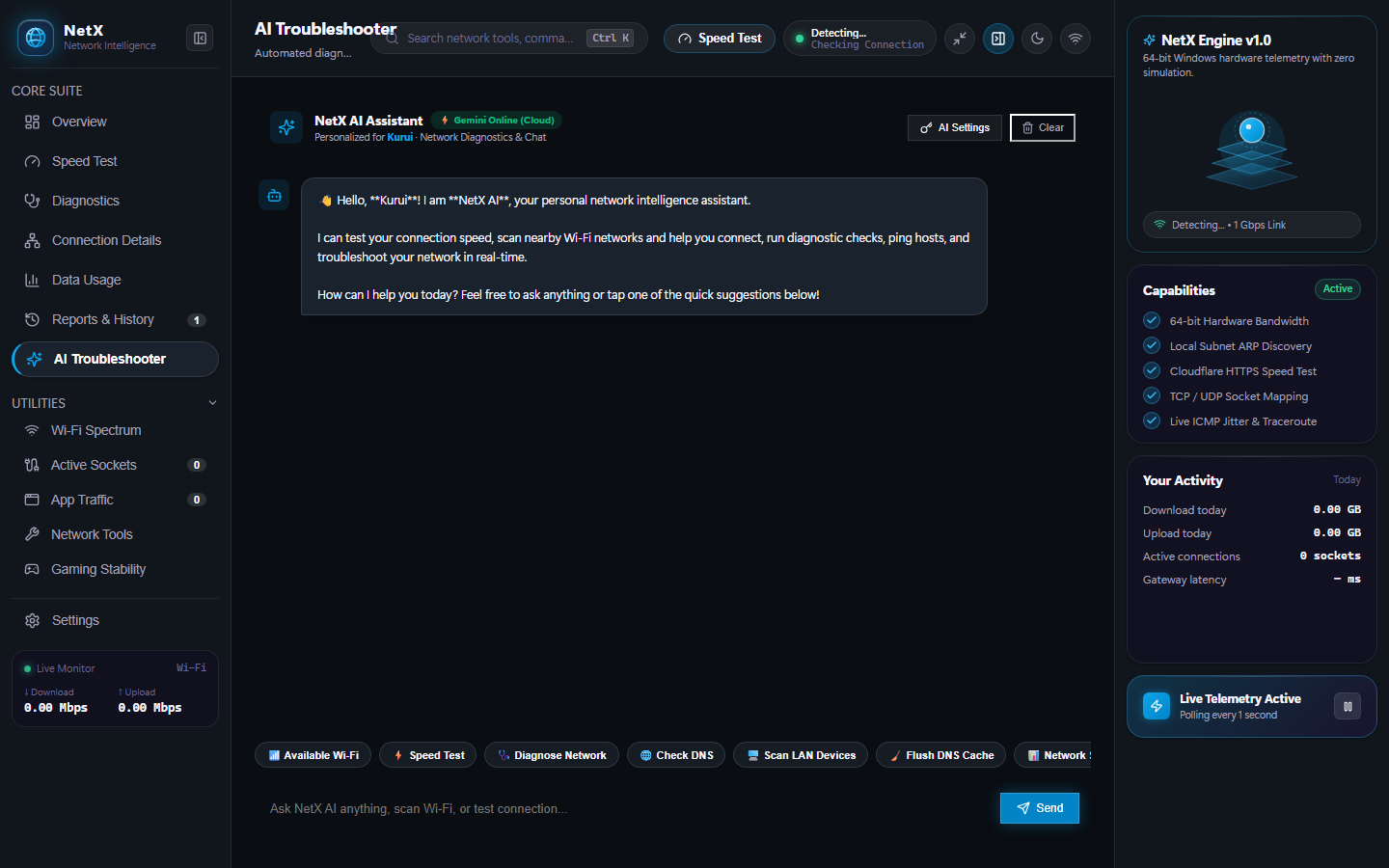
AI Network Troubleshooter & Diagnostics: Integrated conversational network assistant powered by Google Gemini API and custom
aiToolRegistry. Performs automated multi-hop latency triage, DNS resolution verifications, rogue process detection, and guided network remediation plans. -
Process-to-Socket Mapping: Correlates active TCP/UDP sockets from
netstat -anowith running Windows processes queried viatasklist /FO CSV. Performs asynchronous reverse-DNS lookups to resolve remote server hostnames, exposing unauthorized outbound connections instantly. -
Persistent Local Usage Store: Writes rolling byte counters to
%APPDATA%\NetX\netx-usage-store.jsonacross hourly, daily, and monthly intervals, providing a verifiable local history of internet data consumption. -
Wi-Fi Spectrum & BSSID Analyzer: Executes
netsh wlan show networks mode=bssidto detect surrounding 2.4 GHz and 5 GHz wireless channels, authentication ciphers (WPA2/WPA3), signal strengths (dBm), and channel congestion. -
Edge Speed Benchmarking: Measures true throughput against Cloudflare's global edge network (
speed.cloudflare.com) using concurrent HTTPS streams, recording real download and upload transfer rates with millisecond jitter calculation. -
Interactive Diagnostic Suite: Built-in DNS resolver (testing
A,AAAA,MX,NS,TXTrecords), live ICMP Traceroute, and raw TCP port handshakes via Nodenet.Socket.
My Work & Engineering Contributions
I designed and built NetX as a modern native Windows systems telemetry utility:
-
AI Diagnostics & Tool Calling Architecture: Built the
AiAssistantViewand tool execution engine enabling deterministic LLM function calls (DNS lookups, ICMP pings, socket inspection) with conversational confirmation dialogs. -
Windows Telemetry Engine: Developed background services querying native
GetIPStatisticscounters and child process streams without admin elevation. - Correlation Algorithms: Implemented real-time socket-to-process parsing, linking port endpoints with executable binaries and window handles.
- Desktop HUD & View Suite: Designed the React 18 frontend featuring a live bandwidth HUD, command palette (Ctrl+K), and responsive views for WiFi, LAN, and speed testing.
- Packaging & Distribution: Configured electron-builder pipelines generating zero-dependency standalone Windows executables.
Technical Implementation & Architecture
NetX decouples heavy operating system execution into child process workers, delivering real-time telemetry over an IPC channel:
-
Tool-Grounded AI Registry: Modeled a strict TypeScript tool registry (
aiToolRegistry.ts) defining JSON schema contracts for diagnostics tools. The LLM cannot hallucinate arbitrary commands; each diagnostic action is dispatched through validated system execution handlers. - Differential Polling Architecture: Fast interface counters poll every 1,000ms while heavier operations (ARP sweeps, reverse-DNS lookups) are executed on-demand in separate worker queues.
- Telemetry Local Storage: Rolling bandwidth history writes to an atomic JSON file store in AppData, avoiding large embedded database runtimes.
Engineering Challenges & Solutions
-
Challenge: CPU Throttling During Rapid Subnet Scanning: Probing an entire
/24subnet sequentially can stall desktop processes for several minutes.
Solution: Implemented parallel asynchronous ICMP ping sweeps with 800ms timeouts, batching ARP table queries to discover active subnet hosts in under 3 seconds. -
Challenge: Accurate Non-Elevated Telemetry: Many Windows telemetry tools require full Administrator rights, creating security warnings on startup.
Solution: Engineered the metrics collection layer around standard Win32 user-mode APIs (.NET NetworkInterface.GetIPStatistics()andnetsh), capturing 100% genuine hardware telemetry without requiring elevated permissions.