Overview & Problem Statement
Standard web browser downloads operate over a single TCP stream. Under high-latency network conditions or when servers throttle single-connection throughput, transfer speeds drop dramatically. Furthermore, browser-based downloads lack robust pause/resume recovery for interrupted streams, fail to saturate multi-megabit broadband connections, and cannot download torrents or mux separate video and audio streams without third-party command-line utilities.
Download-X (DLX) was engineered to solve these bottlenecks directly on Windows: combining multi-connection segmented chunking, an active work-stealing algorithm, a WebTorrent swarm engine, and a Manifest V3 browser bridge into a unified desktop application.
Key Implemented Features
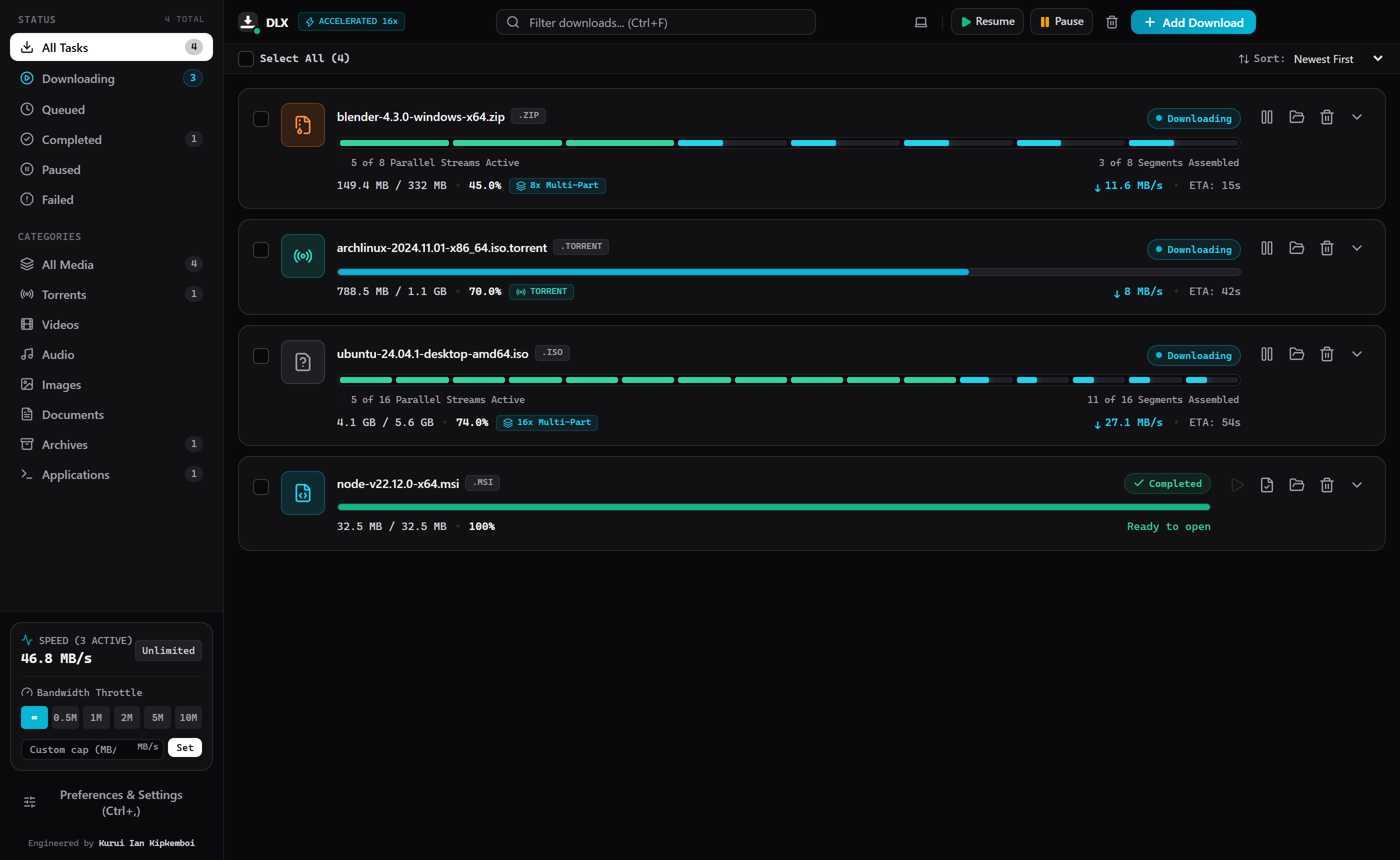
- Dynamic Work-Stealing Range Engine: Instead of static equal-sized chunks that leave fast workers idle while one slow thread stalls the download, DLX monitors per-thread throughput. When a connection completes its byte range, the engine dynamically splits the largest remaining unfinished byte range and assigns it to the idle worker, keeping 100% of connections active until the file is complete.
-
Manifest V3 Native Messaging Bridge: Chromium extensions cannot directly execute low-level socket operations. DLX implements a companion browser extension (
com.dlx.downloadmanager) communicating with a native Node.js messaging host over stdin/stdout, intercepting browser downloads and transferring them into the desktop engine instantly. -
Built-in ISO BMFF Transmuxer: Modern web media delivers video and audio in separate adaptive fragmented MP4 (
fMP4) segments. DLX includes an on-the-fly transmuxer that parsesmoofandmdatatoms and remuxes them into a single, seekable standard ISO MP4 file (ftypisom+moov+mdat) with complete sample tables and metadata. -
High-Speed Swarm Integration: Embeds WebTorrent for magnet links and
.torrentfiles, supporting Local Peer Discovery (LSD) and piece pipelining with up to 120 concurrent peer connections. - Global Bandwidth Limiter: Token-bucket algorithm enforcing precise global speed throttling with selectable presets (0.5 MB/s, 1 MB/s, 2 MB/s, 5 MB/s, 10 MB/s, or custom limits).
My Work & Engineering Contributions
I designed and implemented the entire Download-X system across the desktop backend and frontend layers:
- Multi-Threaded HTTP Engine: Engineered the chunking downloader in TypeScript, implementing random-access file streaming and byte-range math.
- Chromium Extension & Native Host: Built the Chrome/Edge extension communicating via standard I/O with the desktop Node.js host.
- Obsidian Desktop Interface: Developed the React 18 frontend with real-time thread telemetry, segmented progress bars, and speed limiters.
- Windows Packaging: Configured automated NSIS installer and portable executable builds with Electron Builder.
Technical Implementation & Architecture
The application uses an asynchronous IPC bridge separating Electron's Node.js main process from the sandboxed React renderer:
-
IPC Decoupling: Preload script exposes typed methods (
window.electronAPI) viacontextBridge, preventing direct renderer access to operating system primitives. -
File Storage: Incoming chunks are written directly to pre-allocated disk space at byte offsets using
fs.openandfs.write, avoiding high memory overhead during multi-gigabyte downloads. -
Automatic Categorization: DLX inspects MIME types, HTTP
Content-Dispositionheaders, and magic byte signatures to classify downloads into Videos, Music, Documents, Archives, Programs, and Torrents.
Engineering Challenges & Solutions
-
Challenge: Head-of-Line Thread Blocking: In traditional chunking download managers, one slow TCP connection forces the download to stall while other connections finish early.
Solution: Implemented a work-stealing algorithm that detects idle threads, calculates the largest active uncompleted byte span, splits that span into two parts, and issues a new HTTP 206 Partial Content request to the idle connection. -
Challenge: Chromium Security Isolation: Web extensions in Chrome MV3 cannot open TCP sockets or spawn native processes directly.
Solution: Deployed a native messaging host JSON manifest registered with Windows registry, creating a lightweight JSON communication tunnel over standard streams.